
About Course
Professional iOS Developer Mentorship
Build the SpeakTrip Application While Learning How Professional iOS Apps Are Structured
Move beyond tutorial-level SwiftUI development and start thinking more like a professional iOS developer.
This mentorship program was designed for SwiftUI developers who want to:
- build stronger portfolio projects
- structure applications professionally
- improve technical communication
- understand scalable architecture
- feel more confident in interviews
Inside the program, you’ll build:
SpeakTrip
A professionally structured travel-focused SwiftUI application featuring:
- modern SwiftUI UI architecture
- speech recognition workflows
- translation features
- audio recording & playback
- persistence
- async networking
- scalable project organisation
The goal is not simply to build another tutorial app.
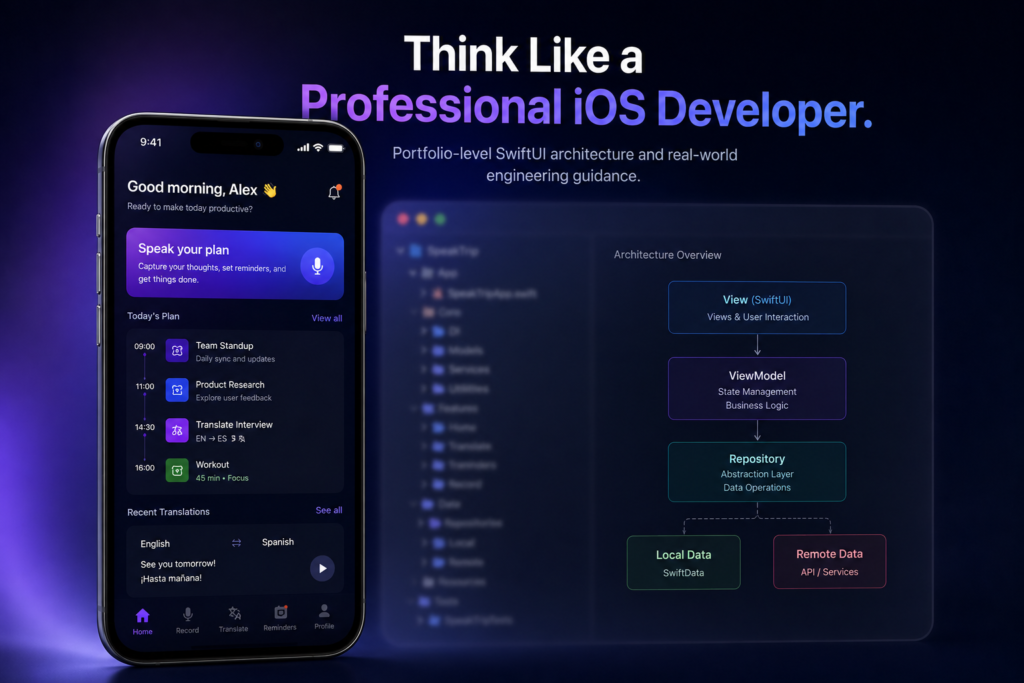
The goal is to help you understand:
- how larger SwiftUI applications are structured
- how experienced developers think about maintainability
- how to explain technical decisions more confidently
- how to create portfolio projects that feel more professional
What Makes This Different
Most SwiftUI courses focus heavily on:
- isolated features
- small demo apps
- copy-paste tutorials
This mentorship program focuses more heavily on:
- architectural thinking
- technical communication
- project structure
- engineering decision-making
- portfolio credibility
You’ll learn not just:
what to build
But:
why applications are structured the way they are.
Included In The Mentorship Program
✅ Complete SpeakTrip source code
✅ Architecture walkthroughs
✅ Lifetime updates
✅ 60-minute portfolio review session
✅ 45-minute mock iOS interview
✅ Technical communication coaching
✅ Scalable SwiftUI architecture discussions
Who This Is For
- SwiftUI developers stuck at tutorial level
- Junior developers aiming to reach mid-level
- Developers preparing for iOS interviews
- Freelancers building stronger portfolio projects
Includes:
- full mentorship program
- future updates
- portfolio review
- mock interview
- architecture guidance
- SpeakTrip application project
Because personalised mentorship is included, enrollment availability may become limited over time.
Final Thought
Many developers spend years consuming SwiftUI tutorials without ever becoming fully confident building or explaining larger applications professionally.
This mentorship program was designed to help change that.
You’re not just building the SpeakTrip application.
You’re learning how to:
- structure applications professionally
- communicate technical decisions clearly
- think about scalability
- improve portfolio credibility
- think more like a professional iOS developer
That difference matters professionally.
Course Content
Build a Production-Ready iOS App You Can Actually Showcase
-
Lesson 1: Set Up Google Cloud Translation API for Speak Trip App
04:46 -
Lesson 2: Coming soon.
-
Full Source Code Attached.
Student Ratings & Reviews